
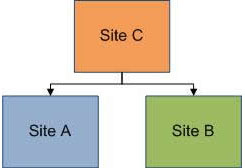

A high-converting landing page is the backbone of any successful online marketing campaign. It’s the first impression your visitors get, and it can make or break your lead generation efforts. Whether you’re promoting a product, offering a service, or collecting emails, your landing page must be designed with conversion...

Which Doctype should I use? This is one of the first questions people ask when they start using web standards. There are four main doctypes in use today. This artcile will firstly define what a doctype is and how it works, and then go on to explain the four...
Keyword research and keyword analysis is one of the most important step of the SEO process.
Why is keyword research?
The ultimate goal of keyword research is to find out mà keywords to implements effective SEO campaign.
For now, let's see the steps to take to keyword research
Choose a word related to...
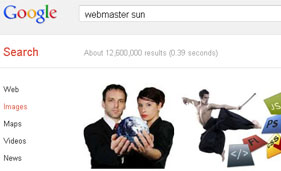
Meta Description tag is hidden in the HTML description tag will not show the contents of the webiste, but it is beneficial to do SEO. Meta Description is like one summary about your site, Google will rely heavily on the Meta Description to display on the search results page.
According...

By submitting your websites to various directories will help get a lot of links quickly and easily. Register your website in directories that help websites get indexed sooner on search engines like Google, Bing, Yahoo and more. You will receive visits and traffic as a result. This is an...

When you create new website, first thing to focus on is domain name. You can change blog layout, its content but changing domain name is a tedious task. You may lose potential readers and website traffic from your website. It is important to focus on characteristics of domain names...
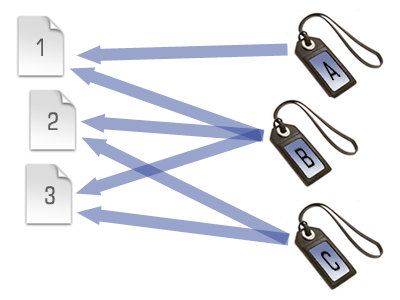
Users use blogs (WordPress, Joomla, Blogger, Dotclear, etc.) are no stranger to Tags, and Category. However, if you are a beginner, Tags and Caterogy are not entirely simple.
Technical understanding of the similarities and differences between the two organizations and mark posts Tags and Category will help you not only...

Making custom patterns in Photoshop is a very easy process.
If you're like me then having the ability to create your own patterns will make your work stand out and become much more unique and after all that's what our clients are paying us for. Its a quick and simple...

Robots.txt is used to instruct search engines to automatically discover your pages and then search the index page. Most sites have folders and files that do not need the search engine robots to visit, so creating a robots.txt file can help you with SEO.
Robots.txt file is a simple file...