Why all of my blog content deindexed by google?

topjob

New member
Joined
Apr 16, 2026
Messages
1
Points
0
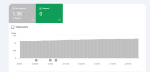
I do have a free blogger site where I publish job post regularly. My blog site is approved by adsense. From few months none of my posts get indexed. I there anyone can help me?
 

Attachments

Shawn Gossman

Member
Joined
Jun 5, 2026
Messages
33
Points
8
I do have a free blogger site where I publish job post regularly. My blog site is approved by adsense. From few months none of my posts get indexed. I there anyone can help me?
Is that from Google Search Console?

If so, it will tell you why that is being done.
 

Ricky@007

New member
Joined
Mar 18, 2026
Messages
8
Points
3
This is actually more common than you'd think right now — especially after Google's recent updates in 2025.


Here are the most likely reasons your blog content got deindexed:


1. Low or Zero Engagement If your blog posts had little to no clicks or impressions over time, Google sees them as pages that aren't useful to anyone. Google has been aggressively purging these kinds of pages from its index lately.


2. Thin or Shallow Content It's not just about word count. If your posts don't go deep enough on a topic — no real insight, no unique perspective, just surface-level stuff — Google will eventually drop them. Even good internal linking won't save a weak post anymore.


3. AI-Generated Content Without Human Touch If your content was mostly AI-written without proper editing, adding real expertise, or author credentials, Google's recent core updates have been specifically targeting this.


4. Accidental Noindex Tag Check your site for <meta name="robots" content="noindex"> tags. Sometimes a CMS plugin or a developer accidentally applies this sitewide instead of on specific pages.


5. Robots.txt Blocking Go to your robots.txt file and make sure /blog/ isn't being blocked from Googlebot.

 

marc09

New member
Joined
Aug 12, 2026
Messages
11
Points
1
Here are a few simple checks on Google Search Console to figure out what's happening:
  1. Check the Coverage / Pages report: Look under the "Not indexed" section. GSC usually gives the exact status (e.g., Discovered - currently not indexed, Crawled - currently not indexed, or Excluded by 'noindex' tag).
  2. Use the URL Inspection Tool: Paste the link of one of your recent job posts to see if Google can crawl it and whether any canonical or robots.txt rules are blocking it.
  3. Check Manual Actions: Go to the Security & Manual Actions tab to make sure your site hasn't received a penalty.
Since job posting blogs can often face strict quality filters (especially if the listings are aggregated or copied from elsewhere), sharing the exact GSC status message will help pinpoint the issue!
 

erp-schoolaura

New member
Joined
Apr 2, 2026
Messages
22
Points
3
use this as a sitemap - atom.xml?redirect=false&start-index=1&max-results=500
 

Harry P

New member
Joined
Feb 3, 2015
Messages
354

Points
0
Harry P
A different sitemap URL won't change anything here. A sitemap only tells Google which URLs exist. Google already knows these URLs, crawled them, and decided not to keep them. Feeding it the same list through atom.xml gets you the same list.

topjob, the thing to do first is open Search Console, go to Pages, and read the exact wording under Not indexed. The wording matters because three of the common statuses have completely different causes.

Discovered, currently not indexed means Google knows the URL exists but has not bothered to fetch it. That is about crawl priority for the whole site, not a fault on the individual post. New Blogspot subdomains publishing job listings sit in that queue for a long time.

Crawled, currently not indexed means Google fetched the page, read it, and chose not to store it. No setting fixes that one. It is a judgement about the page.

Duplicate without user-selected canonical, or Alternate page with proper canonical tag, means Google found the same content somewhere else and kept the other copy.

That third case is the one I would bet on for a job board. If the listings are pulled or lightly rewritten from company career pages or from aggregators, your version is near identical to a source Google already trusts, so it keeps the original. Publishing more of the same makes it worse, because the ratio of unindexed pages to indexed ones is itself a signal.

Two Blogger specific things to rule out before you assume it is quality. In Settings, Crawlers and indexing, look at Enable custom robots header tags. If that is on, check what is set for Home page tags, Archive and search page tags, and Post and page tags. People switch it on to clean up archive pages, set noindex, and take the posts down with it. Also check Settings, Privacy, visible to search engines.

Confirm it either way with URL Inspection on one real post URL. It tells you whether indexing is allowed and which canonical Google picked. That one screen answers more than guessing from a thread.

What I would not do is sit there hitting Request Indexing post after post. If the cause is duplication or quality, the page goes into a queue and drops back out a few weeks later, and you burn months finding that out.

One thing since these are job posts. If they are real openings you wrote yourself, valid JobPosting structured data is worth adding, and that is one of only two content types Google's Indexing API applies to, the other being BroadcastEvent. It is not a general index button. On pages that are not genuine job postings it does nothing.

What does your Pages report actually say? Which status has the most URLs under it?
 
Newer threads
Latest threads
Replies
2
Views
145
Replies
3
Views
288
Replies
3
Views
203
Replies
3
Views
211
Recommended threads
Replies
10
Views
7,554
Replies
7
Views
8,754
Replies
21
Views
11,112
Replies
6
Views
5,101

Latest postsNew threads

Referral contests

Referral link for :

Sponsors

Popular tags

You are using an out of date browser. It may not display this or other websites correctly.
You should upgrade or use an alternative browser.

Top